
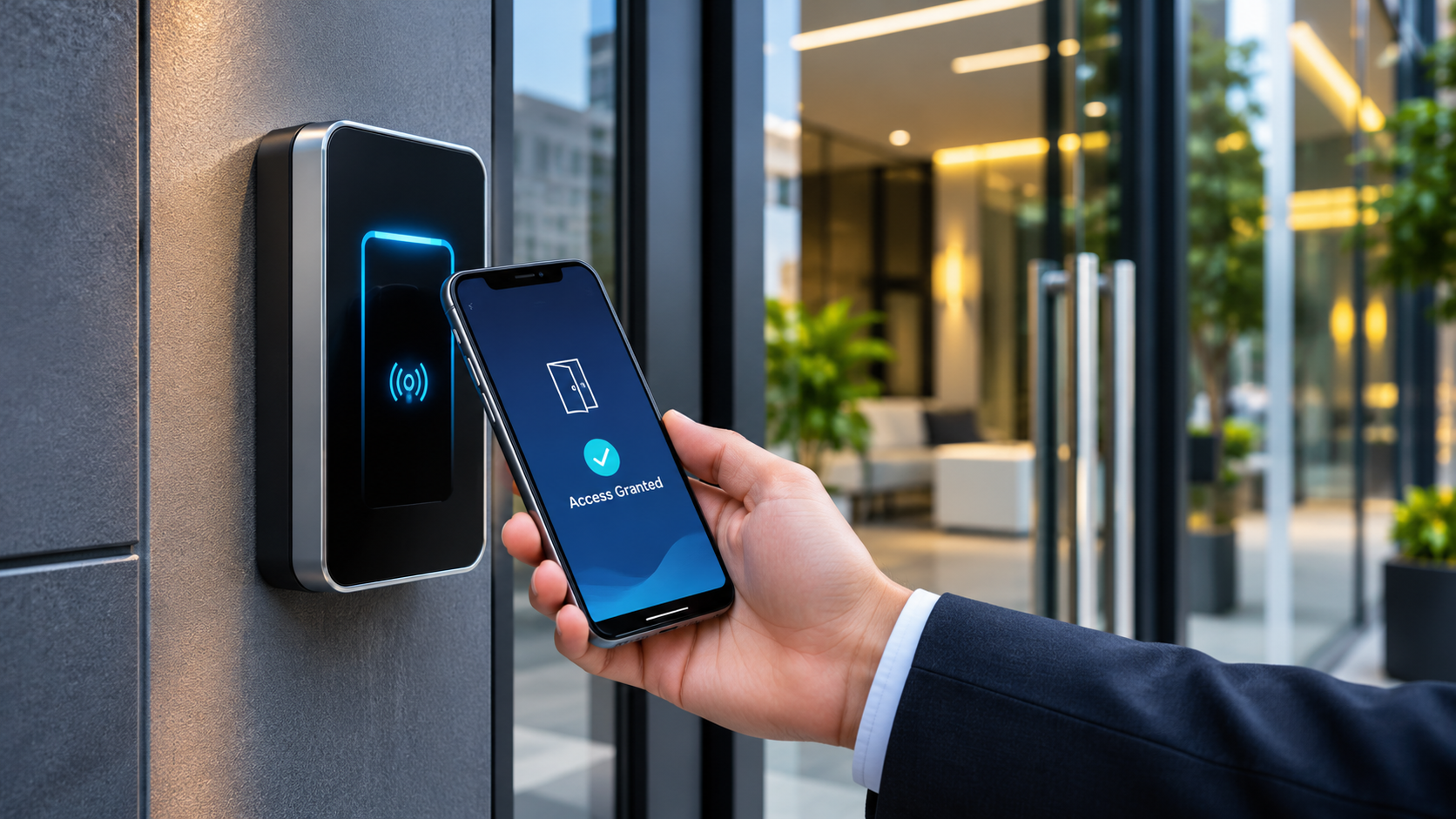
Modern access control systems have evolved significantly from conventional standalone card readers and basic electronic door locks. Today’s access control infrastructure combines intelligent controllers, encrypted credentials, mobile authentication, centralized management platforms and integration with other building security systems.
For commercial buildings, industrial facilities, residential developments, healthcare institutions and critical infrastructure, effective access control system design requires much more than selecting a reader and connecting it to an electronic lock.
A properly engineered solution must consider security requirements, user movement, credential technologies, door hardware, network architecture, power availability, emergency egress, cybersecurity and long-term operational reliability.
The growing adoption of Bluetooth Low Energy (BLE) and Near Field Communication (NFC) technologies has introduced new possibilities for mobile access, allowing authorized users to interact with access-controlled doors through compatible smartphones and digital credentials.
However, the transition from conventional RFID cards to mobile credentials also introduces technical and operational considerations that must be evaluated during the design stage.
This article explores the key engineering principles behind modern access control systems, including credential technologies, reader and controller selection, system architecture, integration, cybersecurity, practical design examples and strategies for modernizing existing installations.
Table of Contents
1. Access Control System Design and Security Requirements
The first stage of access control system design is understanding the facility’s security objectives, operational requirements and expected user movement.
Different facilities require different access control strategies.
A corporate office may prioritize employee access, visitor management and integration with HR systems. An industrial facility may require restricted production zones, contractor access, shift-based permissions and centralized monitoring.
Healthcare facilities may need controlled access to pharmacies, operating rooms, laboratories and other sensitive areas, while residential developments may require integration with intercoms, parking systems and building management platforms.
Key Design Considerations
Security Zoning: Identify public, semi-restricted, restricted and high-security areas. Each zone should have clearly defined access permissions.
Access Points: Determine the number and type of controlled doors, pedestrian gates, turnstiles, vehicle barriers and other access points.
User Population: Evaluate the number of employees, visitors, contractors and other authorized users, including expected future growth.
Access Schedules: Define working hours, shift schedules, temporary permissions, holidays and time-based access restrictions.
Authentication Requirements: Determine whether a card, mobile credential, PIN, biometric authentication or multiple authentication factors are appropriate.
Operational Continuity: Establish how the system should behave during network failures, controller communication interruptions and electrical power outages.
Emergency Egress: Ensure that access control arrangements comply with applicable fire safety, emergency exit and life-safety requirements.
Integration Requirements: Identify connections with video surveillance, visitor management, intrusion detection, HR systems, elevators and other building technologies.
Engineering Recommendation
Prepare an access control door schedule before selecting equipment.
The schedule should identify each controlled opening, its security classification, reader arrangement, locking hardware, door monitoring requirements, emergency release provisions and expected operating behavior.
This document becomes an essential reference for system design, equipment selection, BOQ preparation and installation coordination.
2. Understanding Modern Access Control Technologies
Modern access control systems support several credential and authentication technologies. Each offers different advantages in terms of security, convenience, infrastructure requirements and operating costs.
The selection should reflect the facility’s actual security requirements rather than simply adopting the newest available technology.
2.1 Traditional RFID and Smart Card Credentials
Radio Frequency Identification (RFID) technologies have been widely used in electronic access control for many years.
Users present a physical card, key fob or other compatible credential to a reader, which communicates the credential information to the access control system.
Common credential technologies include:
- Legacy 125 kHz proximity credentials
- 13.56 MHz contactless smart cards
- MIFARE-based credential technologies
- Secure smart card platforms supporting cryptographic authentication
- Other manufacturer-specific credential formats
Traditional proximity credentials remain common in older installations because of their simplicity and widespread compatibility.
However, some legacy credentials rely on static identifiers or weak authentication mechanisms, making them less suitable for environments requiring stronger protection against credential duplication.
Modern cryptographic smart card technologies, such as appropriately configured MIFARE DESFire implementations, can provide stronger credential authentication and improved protection against unauthorized duplication.
Security depends on the complete implementation, including key management, credential configuration and reader-to-controller communication.
Engineering Recommendation: For new installations, prioritize secure credential technologies that support strong authentication and avoid relying solely on easily copied card identifiers.
2.2 Bluetooth Low Energy (BLE) Mobile Credentials
Bluetooth Low Energy enables compatible smartphones to communicate with access control readers over short-range wireless connections.
Instead of presenting a conventional physical card, an authorized user can access a controlled opening through a mobile credential issued by the access control platform.
Depending on the manufacturer and configuration, BLE access may support:
- Smartphone presentation near the reader
- Tap or application-based authentication
- Hands-free or proximity-based access
- Remotely issued and revoked mobile credentials
- Time-limited access permissions
- Integration with centralized identity management platforms
BLE technology can improve convenience by reducing dependence on physical cards and supporting digital credential administration.
For organizations with distributed facilities or frequently changing personnel, mobile credential management may simplify certain aspects of credential issuance and revocation.
However, BLE-based access should not automatically be considered more secure than every card-based solution.
Security depends on credential encryption, authentication protocols, reader configuration, mobile application security and backend credential management.
Important BLE Design Considerations
Reader Compatibility: Verify that selected readers support the intended mobile credential platform.
Smartphone Compatibility: Confirm support for the relevant mobile operating systems and device models.
Operating Distance: Configure the BLE communication range to reduce unintended door activation.
Credential Security: Evaluate how digital credentials are issued, stored, authenticated and revoked.
Offline Operation: Determine whether mobile credentials remain functional when internet or cloud services are unavailable.
Battery Dependency: Consider how users will access facilities if their smartphone is discharged or unavailable.
Licensing: Review mobile credential subscription costs, platform licensing and recurring service requirements.
2.3 NFC-Based Mobile Access
Near Field Communication (NFC) is another technology used for smartphone-based access control.
NFC generally operates over a very short distance and typically requires the user to bring the smartphone close to the reader.
Its interaction resembles the presentation of a contactless smart card.
NFC can provide a familiar and deliberate access experience, particularly where users prefer a physical presentation action rather than proximity-based activation.
However, NFC mobile credential availability varies by smartphone, operating system, access control platform and supported credential ecosystem.
Not every NFC-enabled smartphone can automatically function as an access control credential.
Compatibility must be confirmed with the selected access control manufacturer.
2.4 Biometric Authentication
Biometric access control uses physical or behavioral characteristics to support identity verification.
Common technologies include fingerprint recognition, facial recognition and iris recognition.
Biometric authentication may be appropriate for restricted areas requiring stronger identity assurance.
However, biometric systems introduce additional considerations involving privacy, user enrollment, environmental conditions, accessibility, cybersecurity and applicable data protection requirements.
For higher-security environments, biometric authentication may be combined with another factor rather than used independently.
Engineering Recommendation
A hybrid credential strategy is often appropriate for facilities with diverse user populations.
For example, employees may use secure smart cards or mobile credentials, while temporary visitors receive time-limited credentials.
Higher-security areas may require an additional authentication factor.
The objective should be to achieve the required security level while maintaining usability, accessibility and operational continuity.
3. Access Control Readers and Controller Selection
Reader and controller selection is one of the most important technical stages in access control system design.
Although readers and controllers are often discussed together, they perform different functions.
A reader interacts with the credential or authentication device, while the access controller typically evaluates access permissions and coordinates the door’s locking and monitoring functions.
3.1 Access Control Reader Selection
Readers should be selected according to the required credential technology, environmental conditions, security classification and integration requirements.
Key considerations include:
Credential Support: Verify compatibility with the selected RFID cards, smart cards, BLE credentials, NFC credentials or biometric devices.
Environmental Protection: Outdoor readers may require appropriate ingress protection, operating temperature ratings and resistance to weather exposure.
Mounting Requirements: Consider wall mounting, mullion mounting, pedestal installation and accessibility requirements.
Tamper Protection: Evaluate reader tamper detection and appropriate responses to unauthorized removal.
Communication Protocol: Select suitable communication between readers and access controllers.
Future Compatibility: Consider whether the reader can support additional credential technologies or firmware updates.
User Experience: Evaluate indication lights, audible feedback, credential presentation distance and accessibility.
3.2 Wiegand and OSDP Communication
Reader-to-controller communication is a critical security consideration.
Many legacy access control installations use Wiegand communication.
Wiegand has been widely adopted because of its simplicity and compatibility with numerous access control products.
However, conventional Wiegand interfaces generally do not provide encryption or strong authentication between the reader and controller.
This can expose the reader communication path to security risks if an attacker gains physical access to the cabling.
Open Supervised Device Protocol (OSDP), developed within the Security Industry Association ecosystem, provides an alternative communication approach.
OSDP supports bidirectional communication and can provide additional supervision and management capabilities.
When correctly implemented, OSDP Secure Channel enables encrypted, authenticated communication between compatible readers and controllers.
This improves protection against certain attacks on reader communication.
However, simply selecting equipment labeled OSDP does not guarantee encrypted communication. Secure Channel must be supported, configured and properly managed.
For additional technical guidance on reader-to-controller communication, interoperability and secure channel capabilities, refer to the Security Industry Association’s official Open Supervised Device Protocol (OSDP) resources.
Engineering Recommendation: For new installations, evaluate OSDP Secure Channel-capable readers and controllers, particularly for restricted or higher-security access points.
Existing Wiegand infrastructure may remain operational, but its limitations should be considered during security assessments and modernization planning.
3.3 Access Controller Selection
Access controllers manage access decisions and interface with locking hardware, door contacts, request-to-exit devices and other field equipment.
Depending on the architecture, controllers may support one, two, four, eight or more doors through integrated or expandable input/output modules.
Important selection criteria include:
- Number of supported doors and readers
- Credential and user capacity
- Event storage capacity
- Offline operating capabilities
- Communication interfaces
- Input/output expansion
- Encryption and cybersecurity capabilities
- Integration with management software
- Power requirements
- Future system scalability
Controllers should be selected with sufficient capacity for both current requirements and reasonable future expansion.
For example, a facility requiring twelve controlled doors may benefit from an architecture supporting sixteen doors, depending on controller availability, physical distribution and redundancy requirements.
However, controller capacity should not be evaluated by door count alone.
Reader arrangements, lock outputs, monitoring inputs, software licensing and communication architecture must also be verified.
4. Access Control System Architecture and Network Infrastructure
Modern access control systems frequently operate over IP-based networks, allowing centralized management of multiple buildings and geographically distributed facilities.
The architecture should be designed to support secure communication, operational reliability and efficient system maintenance.
4.1 Centralized and Distributed Architecture
A centralized architecture may place access control management and control equipment within designated security or equipment rooms.
This can simplify administration for smaller facilities, although field cabling distances and the consequences of a central equipment failure must be considered.
A distributed architecture places controllers closer to groups of controlled doors, often using local communication networks to connect the controllers to a central management platform.
Distributed systems can reduce certain field cabling requirements and may provide better flexibility for large facilities.
The appropriate architecture depends on the number of doors, building layout, network availability, equipment locations and required resilience.
4.2 Network Design Considerations
For IP-connected access control systems, the network infrastructure should be evaluated carefully.
Important considerations include:
Network Segmentation: Separate access control devices from general-purpose user networks where practical.
IP Addressing: Establish a documented addressing scheme for controllers, management servers and associated devices.
Communication Security: Use secure management interfaces and encrypted communication where supported.
Network Availability: Assess the impact of switch failures, network interruptions and communication loss.
Cable Infrastructure: Follow applicable structured cabling requirements and manufacturer limitations.
Switch Capacity: Verify port availability, uplink requirements and network equipment capacity.
Remote Management: Use appropriately secured administrative access rather than exposing controllers directly to the public internet.
4.3 Offline Controller Operation
An important characteristic of a well-designed access control system is its behavior during communication interruptions.
Many intelligent controllers can continue processing previously synchronized access permissions even when communication with the central management server is temporarily unavailable.
Events may be stored locally and synchronized after communication is restored, subject to the controller’s capabilities and storage capacity.
This functionality should be verified during equipment selection and commissioning.
Offline operation should not be confused with operation during complete electrical power loss.
The system’s behavior under each failure condition must be evaluated separately.
Engineering Recommendation
Develop a system architecture diagram identifying the management platform, controllers, readers, door hardware, network switches, power supplies and communication pathways.
Clearly document the required behavior during network failure, server failure and power failure.
5. Electronic Door Hardware, Power Supply and Emergency Egress
Access control design is not limited to electronic devices and software.
Door hardware, locking arrangements, power distribution and emergency egress are equally important.
An otherwise well-designed access control platform may fail to meet operational or safety requirements if inappropriate locking hardware is selected.
5.1 Common Electronic Locking Technologies
Electromagnetic Locks: Use magnetic force to secure a door while energized. Their application requires careful consideration of emergency release, power failure behavior and applicable life-safety requirements.
Electric Strikes: Electrically control the release of a door’s latch mechanism. Their operating characteristics depend on the selected strike and mechanical lockset.
Electrified Locksets: Integrate electrical control into compatible mechanical locking hardware.
Motorized Locks: Use powered mechanisms to operate locking components and may be suitable for particular door types or security applications.
The appropriate hardware depends on door construction, security classification, traffic volume, fire rating, emergency exit requirements and architectural constraints.
5.2 Fail-Safe and Fail-Secure Operation
The terms fail-safe and fail-secure describe how a locking device behaves when its electrical power is removed.
A fail-safe locking device releases its locking function upon loss of power.
A fail-secure locking device maintains its secured condition upon loss of power.
These terms do not independently establish whether a door is safe for emergency evacuation.
A fail-secure electric strike, for example, may be used with mechanical hardware that still permits free egress from the inside.
The complete door assembly must be evaluated.
Engineering Recommendation: Never select fail-safe or fail-secure behavior solely on the basis of security preference. Verify door hardware, occupancy requirements, emergency egress, fire alarm interaction and applicable local regulations.
5.3 Request-to-Exit and Door Monitoring
Controlled doors may incorporate several field devices:
- Request-to-exit (REX) buttons or sensors
- Door position monitoring contacts
- Emergency release devices where required
- Lock status monitoring
- Door-held-open alarms
- Forced-door alarms
- Local audible indicators
These devices support both operational convenience and security monitoring.
For example, a door contact can help distinguish between a properly closed door and one left open beyond an authorized time period.
5.4 Power Supply and Backup Requirements
Access control systems may require separate power supplies for controllers, readers, locking devices and associated accessories.
The design should consider both normal power consumption and peak operating conditions.
Battery-backed power may be required to maintain designated functions during utility power interruptions.
However, backup power must not prevent the required release of doors under applicable emergency conditions.
Practical Example: Locking Hardware Power Assessment
Consider a hypothetical installation with twelve electronic locking devices.
Assume each device has a maximum electrical load of:
- Operating voltage: 12 V DC
- Current consumption: 0.5 A
- Quantity: 12 devices
The maximum combined electrical load is:
Power = Voltage × Current × Quantity
Power = 12 × 0.5 × 12
Total = 72 W
If all twelve devices continuously draw their rated maximum current, the theoretical energy requirement for two hours would be:
72 W × 2 hours = 144 Wh
This figure represents only the assumed locking-device load.
A complete power assessment must also consider controller consumption, readers, auxiliary devices, power conversion losses, battery aging, required reserve capacity and the actual duty cycle of each device.
The power supply and battery configuration must also satisfy the required emergency release and life-safety behavior.
Engineering Recommendation: Prepare a separate power budget for each access control equipment enclosure or distribution zone rather than estimating the entire installation from door quantity alone.
6. Integration with CCTV, Visitor Management and Building Systems
One of the principal advantages of modern access control platforms is their ability to integrate with other security and building management technologies.
Integration can improve operational awareness, reduce manual intervention and support more coordinated security responses.
However, integration requirements should be defined early in the design process.
6.1 CCTV and Video Management System Integration
Access control and video surveillance integration can associate door events with relevant camera footage.
For example, an unauthorized access attempt at a restricted door may generate an event in the access control system.
If supported by the integration platform, the operator may be able to retrieve the corresponding camera footage or display the associated video stream.
Potential integration functions include:
- Video verification of access events
- Camera association with controlled doors
- Forced-door alarm monitoring
- Door-held-open event investigation
- Event-based video bookmarks
- Centralized security monitoring
The availability of these functions depends on the selected access control and video management platforms.
Compatibility should be verified using manufacturer-supported integrations, documented APIs or other supported interfaces.
For a broader understanding of surveillance infrastructure, including camera coverage, network architecture, bandwidth planning, recording storage and system integration, refer to our detailed guide on IP CCTV system design.
6.2 Visitor Management Integration
Visitor management integration can simplify temporary credential administration.
A visitor may be registered through a reception or visitor management platform, assigned approved access permissions and issued a time-limited credential.
After the authorized period expires, the credential can be automatically disabled where supported.
This can reduce reliance on manual access permission changes.
6.3 HR and Identity Management Integration
Larger organizations may integrate access control with HR or identity management platforms.
Such integrations can support employee onboarding, access permission updates and credential deactivation when employment ends.
However, automated synchronization must be carefully configured to avoid unintended access privileges.
Access permissions should follow approved organizational policies and defined authorization workflows.
6.4 Elevator and Parking Integration
Access control platforms may also support elevator floor permissions, parking access and vehicle entry systems.
For example, a credential may authorize an employee to enter a building, access designated floors and enter a restricted parking area.
These functions require compatibility with elevator control systems, parking equipment and other relevant technologies.
Engineering Recommendation
Create an integration matrix identifying each connected system, required functionality, communication interface, responsible supplier and acceptance testing criteria.
This helps prevent integration problems during installation and commissioning.
7. Cybersecurity Considerations for Access Control Systems
As access control infrastructure becomes increasingly network-connected, cybersecurity must be treated as an essential design requirement.
Access control systems manage sensitive information, including user identities, credential assignments, access permissions and movement-related event records.
A compromised access control platform may expose operational information or interfere with security functions.
Key Cybersecurity Design Considerations
Secure Credential Technology: Use credential authentication mechanisms appropriate to the security classification of the facility.
Encrypted Reader Communication: Consider OSDP Secure Channel or other supported secure communication technologies.
Network Segmentation: Restrict unnecessary communication between access control equipment and unrelated network devices.
Administrative Access: Use individual administrator accounts, appropriate privileges and strong authentication.
Firmware Management: Establish procedures for reviewing and applying supported security updates.
Remote Access Protection: Restrict remote administrative connections and use secure access methods.
Event Logging: Maintain appropriate records of access events, administrative changes and security-related incidents.
Backup and Recovery: Protect system configurations, databases and relevant operational records.
Vendor Security: Evaluate manufacturer support, vulnerability management and product lifecycle policies.
Data Protection: Establish appropriate retention periods and access restrictions for personal and event data.
Mobile Credential Cybersecurity
Mobile access platforms introduce additional security considerations.
These include credential provisioning, mobile application security, cloud platform dependencies, lost-device management and credential revocation.
Organizations should understand how credentials are issued, authenticated and disabled.
They should also evaluate whether mobile credentials remain usable during communication interruptions and how access is managed when a user’s device is unavailable.
Engineering Recommendation
Cybersecurity requirements should be included in the original system specification, rather than addressed only after installation.
Security testing should form part of system commissioning and operational acceptance.
8. Modernizing Existing Access Control Infrastructure
Many commercial and industrial facilities continue to operate access control systems installed several years ago.
These systems may rely on legacy proximity cards, Wiegand readers, outdated controllers or management software with limited integration capabilities.
Complete system replacement is not always necessary.
A structured modernization strategy may allow organizations to improve security and functionality while retaining suitable existing infrastructure.
8.1 Existing System Assessment
Before planning an upgrade, assess:
- Installed reader technologies
- Existing credential formats
- Controller models and available capacity
- Reader-to-controller communication interfaces
- Door locking hardware and monitoring devices
- Cable condition and available spare cores
- Network connectivity
- Power supply and backup arrangements
- Software licensing and manufacturer support
- Existing integrations and operational dependencies
The assessment should identify equipment that can remain in service and components that require replacement.
8.2 Migration from Cards to Mobile Credentials
Organizations considering mobile credentials may adopt a phased approach.
For example, an existing building may retain compatible secure smart cards while introducing BLE-enabled mobile access for selected employees.
Dual-technology readers may support both credential types, depending on the manufacturer and platform.
This approach can reduce operational disruption while users become familiar with mobile access.
However, compatibility should not be assumed.
The existing controller, reader interface, software platform and credential management system must support the proposed functionality.
8.3 Reader and Controller Upgrades
Where existing controllers support secure communication and modern credential formats, a reader replacement may provide useful improvements.
In other installations, controller replacement or software migration may be required.
An upgrade may also provide an opportunity to improve:
- Controller enclosure security
- Network segmentation
- Backup power
- Door monitoring
- Event reporting
- Credential administration
- System documentation
8.4 Phased Modernization Strategy
A practical modernization program may follow these stages:
- Assess the existing installation and identify security or operational limitations.
- Define the target access control architecture and credential strategy.
- Conduct a pilot installation on selected doors.
- Verify compatibility, access permissions and emergency operation.
- Migrate users and credentials in controlled phases.
- Replace or upgrade remaining equipment.
- Complete system testing, documentation and operational handover.
Engineering Recommendation: Maintain a documented migration and rollback strategy, particularly for facilities that cannot tolerate prolonged access control interruptions.
9. Practical Example: Access Control Design for a Commercial Office
Consider a hypothetical three-storey commercial office building requiring access control for twelve doors and approximately 200 authorized users.
The facility includes a main entrance, office areas, server rooms and restricted service areas.
The project requires centralized management, secure credentials, mobile access capability and integration with the building’s CCTV system.
Step 1: Define the Door Distribution
| Area | Controlled doors |
|---|---|
| Main entrances | 2 |
| Office and departmental areas | 6 |
| Server and IT rooms | 2 |
| Restricted service areas | 2 |
| Total | 12 |
Each opening should be assessed individually for reader requirements, locking hardware, emergency egress and monitoring.
Step 2: Select the Credential Strategy
The facility may adopt secure smart cards for general employees and compatible BLE mobile credentials for selected users.
Server rooms may require an additional authentication factor, subject to the organization’s security policy.
Visitor access may be managed through temporary credentials with defined validity periods.
Step 3: Determine Reader and Controller Requirements
Assume the selected controller architecture provides a total capacity of sixteen controlled doors.
This provides four spare door positions, equivalent to 25% of the total available capacity.
However, actual controller selection must also consider reader quantity, input/output availability, power requirements and equipment distribution.
Readers supporting secure credential authentication and OSDP Secure Channel may be selected where compatible with the chosen controllers.
Step 4: Develop the Network Architecture
Controllers may connect through designated security network switches to a centralized access control management platform.
The design should include appropriate network segmentation, documented IP addressing, secure administration and suitable communication availability.
Offline controller operation should be verified for previously authorized credentials.
Step 5: Evaluate Power Requirements
Prepare a door-by-door electrical load schedule covering locking devices, controllers, readers and auxiliary equipment.
Power supplies should be selected according to the calculated loads and required operating behavior.
Backup power requirements must be established in accordance with the facility’s operational and life-safety requirements.
Step 6: Integrate with CCTV
Associate selected controlled doors with nearby surveillance cameras.
Where supported, the security operator may use the integrated platform to investigate unauthorized access attempts, forced-door events and other security incidents.
Step 7: Test the Complete System
Before handover, verify:
- Authorized credential acceptance
- Unauthorized credential rejection
- Time-based access restrictions
- Mobile credential operation
- Door position monitoring
- Forced-door and held-open alarms
- Controller offline behavior
- Network communication recovery
- Power interruption behavior
- Emergency egress and fire alarm interaction
- CCTV event integration
- Administrative permissions and event logging
This example demonstrates that access control engineering involves much more than calculating the number of readers and controllers.
A successful solution requires coordinated consideration of security, infrastructure, hardware, software, operational requirements and life safety.
10. Testing, Commissioning and System Handover
Testing and commissioning are essential to ensuring that an installed access control system performs according to its approved design.
Commissioning should verify the complete operational sequence rather than merely confirming that each reader activates a lock.
Functional Testing
Verify credential recognition, access permissions, schedules, lock operation, door monitoring and alarm generation.
Communication Testing
Verify reader-to-controller communication, controller connectivity, management platform communication and system recovery after network interruptions.
Emergency Operation Testing
Verify emergency release, fire alarm interface operation, power failure behavior and required egress functions in accordance with the approved design and applicable regulations.
Integration Testing
Confirm that connected CCTV, visitor management, elevator and other systems perform the specified functions.
Cybersecurity Verification
Review administrator access, communication security, credential management, software configuration and logging arrangements.
Documentation and Handover
A professional handover package should include, as applicable:
- Approved as-built drawings
- Door and device schedules
- System architecture diagrams
- Controller and reader configuration records
- Equipment datasheets and manuals
- Test and commissioning reports
- Approved operating procedures
- Maintenance recommendations
- User and administrator training records
Sensitive configuration information, passwords and cryptographic keys should be transferred through appropriately secured procedures rather than included openly in general project documentation.
Conclusion
Modern access control systems have evolved into integrated security platforms that combine credential authentication, intelligent controllers, secure communication, electronic locking hardware and centralized system management.
The adoption of BLE and NFC mobile credentials provides additional flexibility, but successful implementation requires careful consideration of compatibility, cybersecurity, operational continuity and user requirements.
Effective access control system design must also address physical door hardware, network infrastructure, backup power, emergency egress and integration with other building security systems.
For new installations, secure credential technologies, appropriately protected reader communication and scalable controller architectures can support long-term reliability.
For existing facilities, a structured modernization strategy can improve security and functionality while reducing unnecessary infrastructure replacement.
Ultimately, a successful access control solution is not defined by the number of doors or the sophistication of its credentials, but by its ability to provide secure, reliable and manageable access throughout the facility’s operational life.
Need Expert Guidance for Your Access Control Infrastructure?
SAAZ Tech Consulting provides engineering consultancy and technical design support for Physical Security, ELV and ICT systems.
Our services include access control system design, technology evaluation, system architecture, equipment selection, technical specifications, BOQ preparation and integration planning.
Whether you are developing a new facility, upgrading an existing security installation or evaluating modern mobile access technologies, a structured engineering approach can help establish the right technical foundation.
Contact SAAZ Tech Consulting to discuss your access control and integrated security infrastructure requirements.